

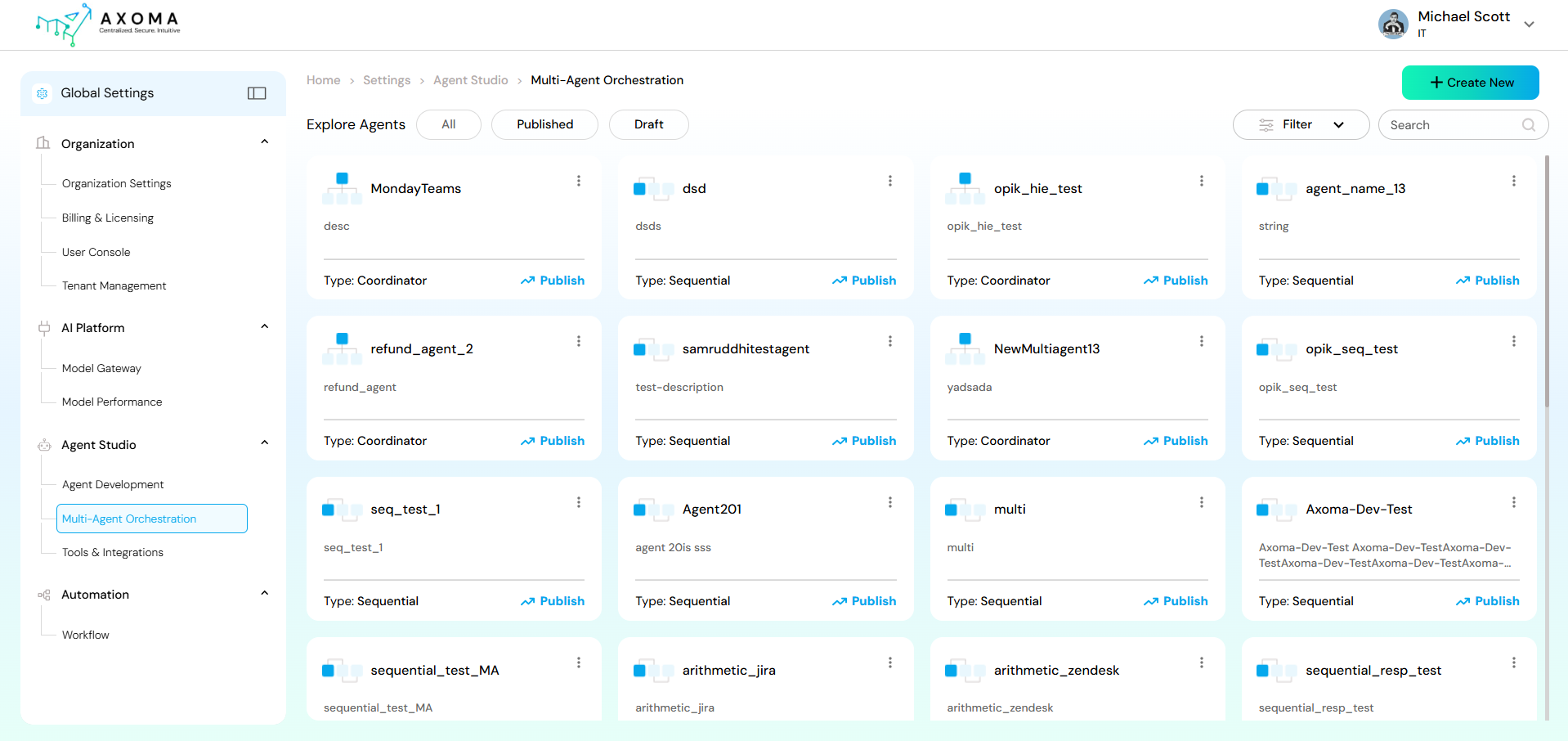
 A Multi-Agent System is an application where several agents, often arranged hierarchically or sequentially, collaborate to achieve a shared objective. Axoma supports two primary coordination models for these systems: Sequential and Coordinator.
Creating a New Multi-Agent System
- Navigate to the Agent Studio section in the left-hand menu and select Multi-Agent Orchestration.
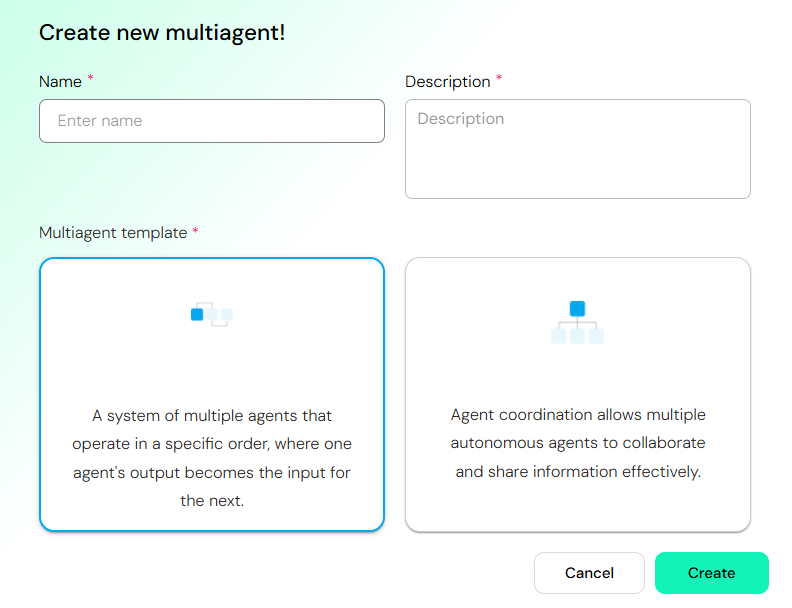
- Click the + Create New button (top right).
- A dialog will appear prompting you to define the new multi-agent system.
-
Enter details:
- Name: A unique, descriptive name for your multi-agent system (e.g., “CustomerSupportFlow”).
- Description: A brief explanation of the system’s purpose.
-
Select a Multi-agent template: Choose the coordination model that best suits your application’s needs:
- Sequential: Select this for pipeline-like workflows where agents operate in a fixed, linear order.
- Coordinator: Select this for dynamic, complex workflows where a dedicated agent manages and delegates tasks to specialized sub-agents.
- Click Create.
Sequential Setup
In a Sequential Setup, agents execute tasks in a defined, linear order. The output or result of one agent automatically becomes the input for the next agent in the sequence. Best for: Pipeline workflows (e.g., Data Processing → Analysis → Reporting), specialized step-by-step processes. Example: TranscriberAgent → TranslatorAgent → SendEmailAgent.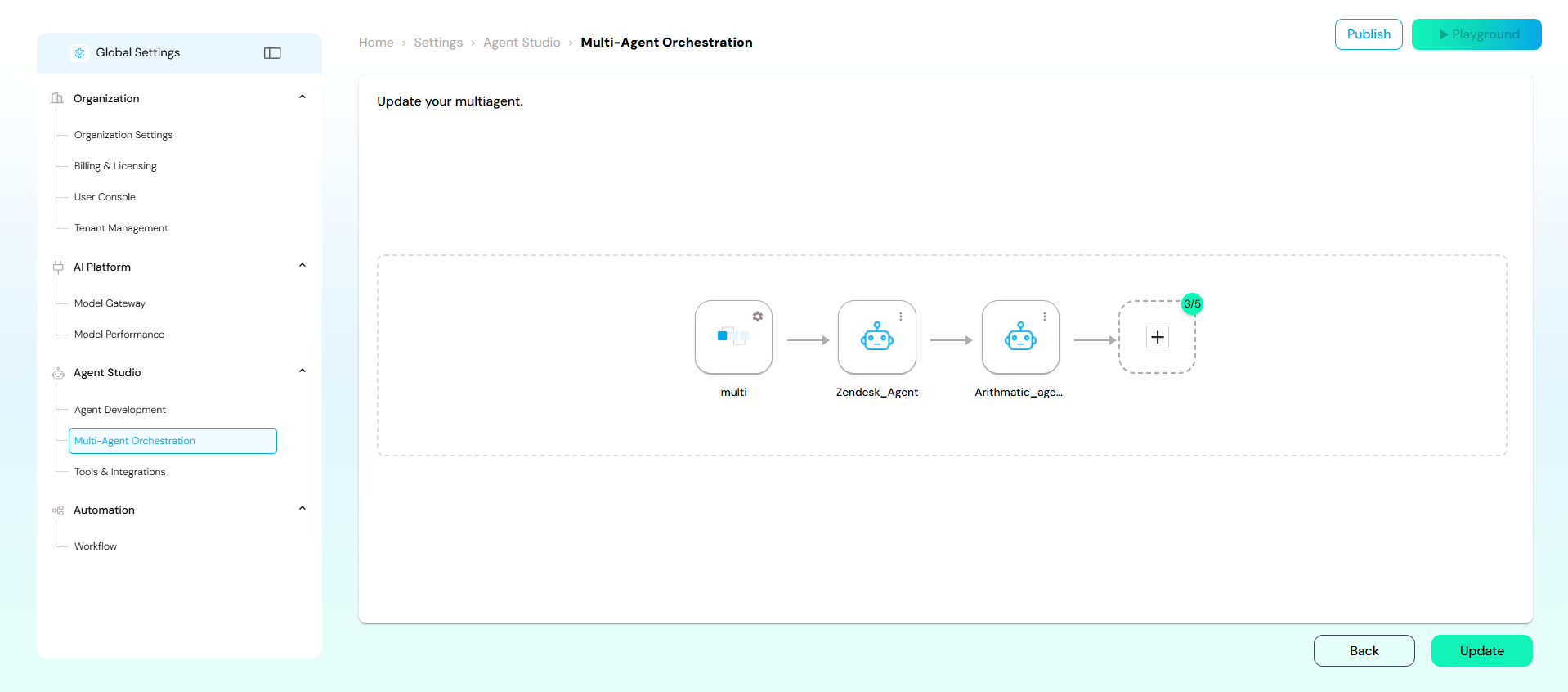
Building the Sequential Flow
- After selecting the Sequential template, you will be taken to the orchestration canvas (similar to ma4.png).
- Your flow begins with a multi agent, which represents the system’s entry point.
- Click the + button or drag-and-drop an agent from the library (if available) to add agents to the sequence.
- Connect Agents: Agents are automatically connected in a linear fashion.
- Configure: Click on each agent node to configure its specific settings, model, and tools.
- Finalize: The sequence can end with an agent that produces the final output.
- Click Update to save the changes or Publish to make the multi-agent system active.
Coordinator Setup
In a Coordinator Setup, a dedicated Coordinator Agent manages and orchestrates the interactions between multiple specialized sub-agents. The coordinator delegates subtasks, aggregates results from sub-agents, and maintains global context. Best for: Dynamic, conversational, or parallel collaboration patterns where agents handle separate concerns that contribute to a unified outcome.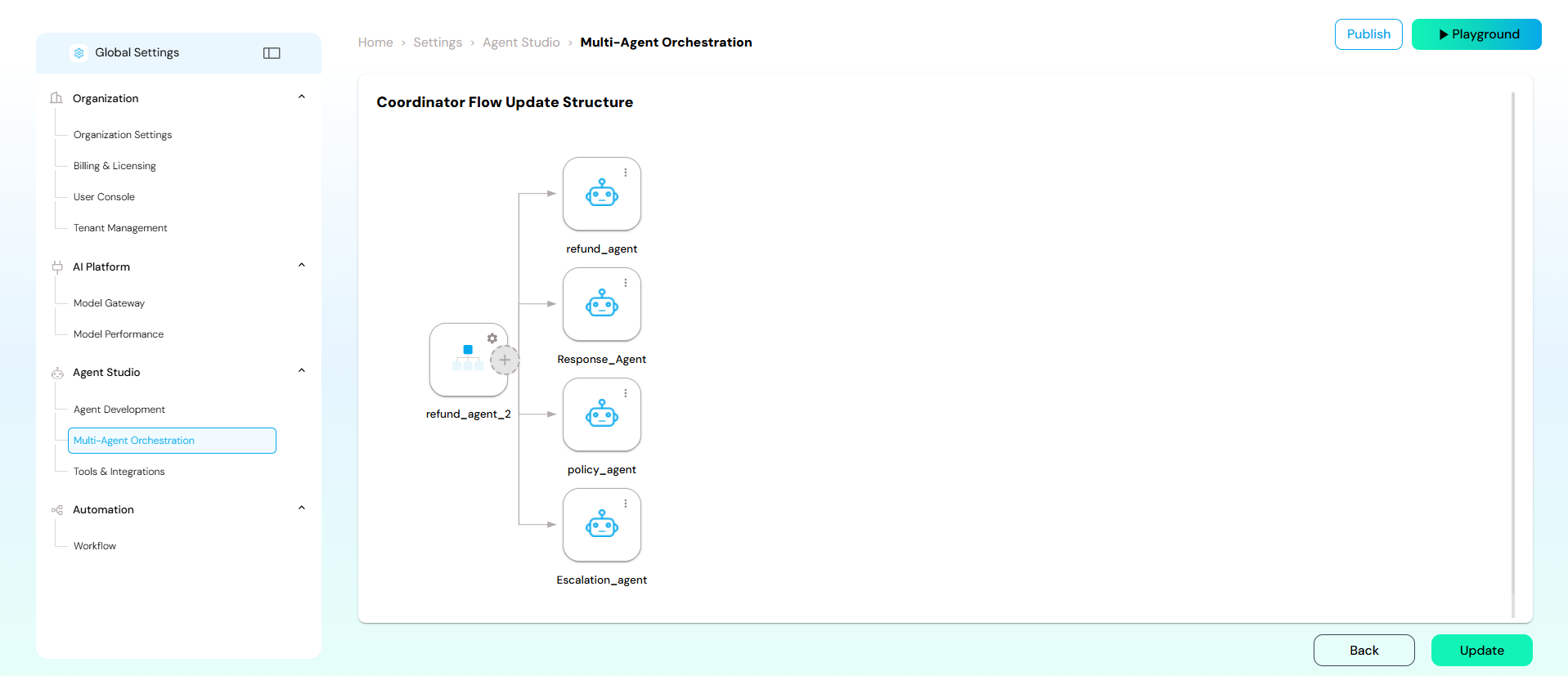
Building the Coordinator Flow
- After selecting the Coordinator template, you will be taken to the orchestration canvas.
- The flow starts with the primary Coordinator Agent.
- Add Sub-Agents: Drag and drop or add specialized agents that the Coordinator will utilize.
- Define Control Flow: The flow diagram visually represents how the Coordinator interacts with its sub-agents. In this structure, the Coordinator dynamically calls upon the appropriate sub-agent based on the input and the overall task.
- Configure: Ensure each agent and the Coordinator itself are configured with the necessary tools, context, and logic to perform their respective roles.